Digital Signage Software Guide 2026
Introduction
Getting started with digital signage can feel overwhelming. You’re picturing confusing technology, expensive subscription fees, and needing a dedicated IT person just to get it working. We get it. But what if you could skip all of that complexity? The truth is, modern digital signage software is built to be incredibly simple and powerful, and designed to turn any TV you already own into a dynamic tool for your business—instantly.
This is your straightforward guide for 2026. We’re breaking down everything you need to know without the technical jargon. By the time you're done reading, you will clearly understand what this software does, be able to identify the essential features you actually need, and feel confident choosing an affordable, easy-to-use solution. It’s time to stop worrying about the “how” and start seeing what your screens can do for you. Let's make it happen.
What is Digital Signage Software (and Why Isn't a USB Stick Enough)?
Think of digital signage software as the brain behind your screens. It’s the central command center that lets you control what content plays, where it plays, and when it plays—all without ever touching the screen itself. While you can learn the basics of What is Digital Signage? from many sources, the real power comes from the software that runs it.
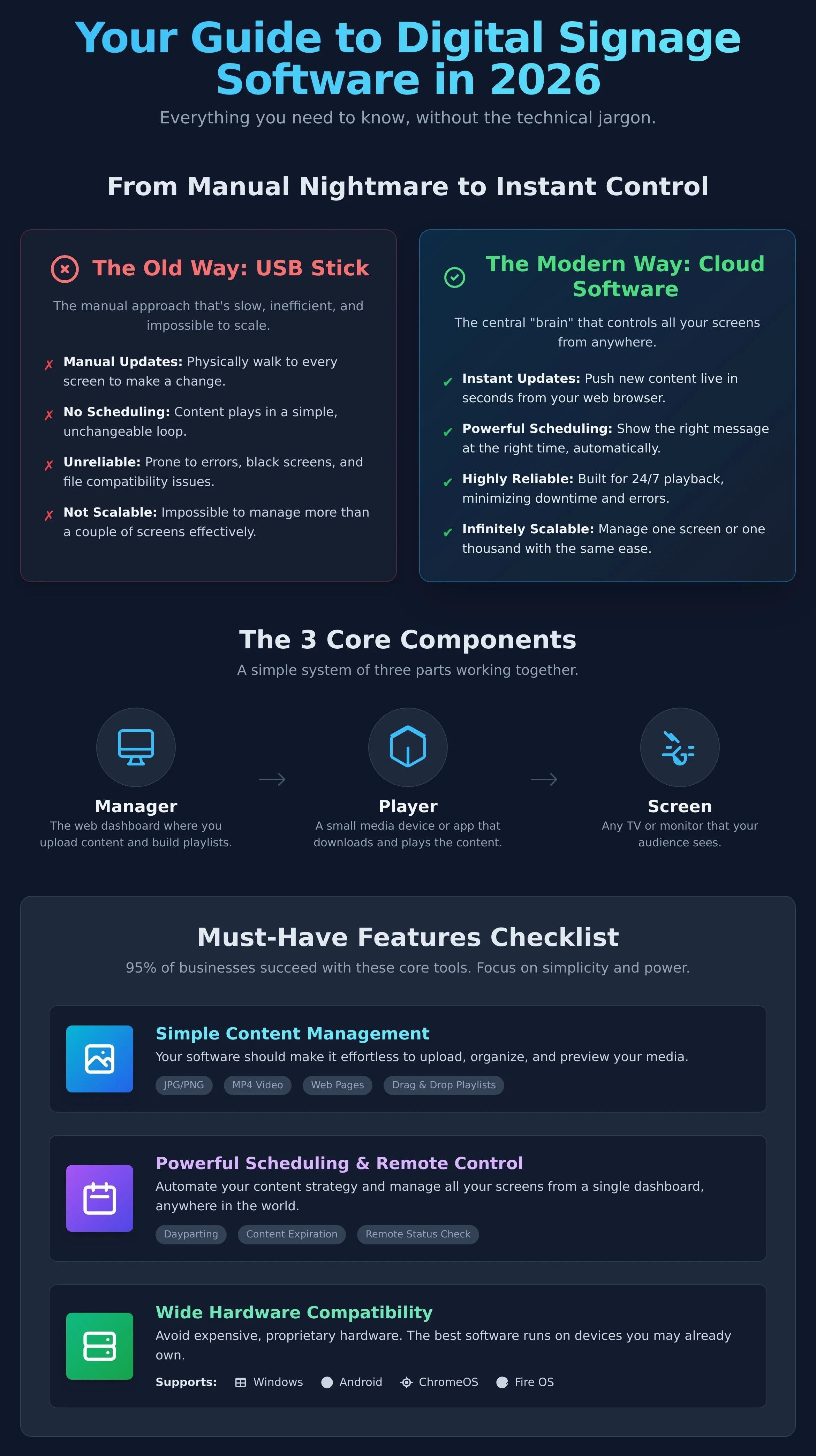
Many businesses start by loading images and videos onto a USB stick and plugging it into a TV. This works for one screen, but it’s a manual nightmare. Every time you want to update a promotion or change a menu item, you have to physically walk to the screen, plug in the drive, and hope it works. It’s slow, inefficient, and impossible to scale.
This is where modern software changes the game. It transforms your screens into a powerful, dynamic network. You get a simple, cloud-based dashboard to manage everything. Key benefits include:
Instant Updates: Change your content from any computer or phone and push it live in seconds.
Powerful Scheduling: Show a breakfast menu in the morning and a dinner menu at night - automatically.
Multi-Screen Management: Control one screen or a thousand of them, right from your computer or phone.
Improved Reliability: Professional software is built to run 24/7, avoiding the black screens and errors common with USB playback.
The Three Core Components: Manager, Player, and Screen
Digital signage doesn't have to be complicated. The entire system is made of just three simple parts working together. The Manager is the app or web dashboard where you upload graphics and schedule playlists. The Player is a small media player (or an app on a smart TV) that connects to your screen, downloads the content, and plays it. Finally, the Screen is the TV or monitor your customers see.
Cloud-Based vs. On-Premise: The Modern Choice
Nearly all modern digital signage software is cloud-based, and for good reason. "Cloud-based" simply means it’s hosted online, so you can access your command center from any web browser, from anywhere in the world. This approach is easier and more affordable. You don’t have to buy or maintain expensive servers, you get automatic software updates, and your whole team can collaborate easily. On-premise solutions exist for organizations with extreme security needs, but for 99% of businesses, the cloud is the clear winner.
Must-Have Software Features: What to Look for in 2026
Choosing the right digital signage software can feel overwhelming. Dozens of platforms promise endless features, but the truth is simple: 95% of businesses need the same core tools to succeed. The most important feature isn't a long list of options that you'll never use; it's an interface so simple that it makes powerful tasks feel easy.
Don't get bogged down in complexity. Instead, focus on these essential features that deliver real-world results and let you get your message on screen in minutes.
Simple Content Management & Playlists
Your content is the star of the show, and your software should make it easy to manage. Getting a new promotion or welcome message on screen shouldn't require a technical manual. Look for a clean, intuitive system that lets you:
Easily upload common file types like images (JPG, PNG), videos (MOV, MP4), and even web pages.
Build and organize your media with a simple drag-and-drop playlist editor.
Add additional team members and control what they can view, edit or delete.
Powerful Scheduling & Remote Control
One secret to excellent digital signage is showing the right message at the right time. A powerful scheduling engine lets you automate your content strategy and manage all your screens from anywhere. This is where you unlock serious efficiency. The best platforms allow you to schedule promotions to start and end automatically, update screens across multiple locations from a single dashboard, and remotely check screen status. This level of control is transformative, but it also requires trust. Ensure that your provider follows established digital signage security best practices to keep your network and content safe from unauthorized access.
Wide Hardware Compatibility
You shouldn't be locked into expensive, proprietary hardware. Modern digital signage software is built for flexibility, giving you the freedom to choose the media player that fits your budget and needs. This means you can often use hardware that you already own. A platform with wide compatibility will run smoothly on a variety of popular operating systems, including:
Windows
Microsoft Teams Rooms
Android
Apple iOS
Amazon Fire OS
Google Chrome
Raspberry Pi
LG WebOS
Samsung Tizen
BrightSign
This approach saves you money and makes setup incredibly fast. Just install the player app, connect it to your account, and you're ready to go.
Advanced Features: When Do You Need More Power?
When you first start, you need digital signage that just works. Upload your content, schedule it, and you're done. But as your business grows, your needs will evolve. The best digital signage software is built to scale with you, offering powerful tools that you can activate when the time is right. Think of these advanced features as your growth toolkit—you may not need them on day one, but they are ready when you are.
Apps and Integrations
Manually updating your content every day takes time. Apps and integrations do the work for you. They automatically pull in and display content from other sources, keeping your screens dynamic and relevant with zero extra effort. Imagine instantly showing:
Your latest Instagram or Facebook posts
Live weather forecasts for your area
Breaking news headlines or stock tickers
Travel databases i.e. airport and train station data
This ensures your screens are always fresh, engaging viewers with up-to-the-minute information.
Multi-User Roles and Permissions
As your team expands, you need to control who can do what. Multi-user permissions are essential for maintaining brand consistency and security across your network. Quality digital signage software lets you assign specific roles. For example, a store manager can update local promotions, while a corporate marketing admin has full control over branding and scheduling content across all locations. This simple feature protects your brand and empowers your team to contribute safely.
How to Choose the Right Software for Your Business
Finding the right digital signage software can feel overwhelming, but it doesn't have to be. The secret isn't to find the platform with the most features; it's to find the one that's the perfect fit for your specific business goals and team. This simple, three-step framework will help you cut through the noise, make a confident decision, and get your screens running in no time.
Step 1: Define Your Goal and Content
Before you compare a single feature, you must first define your mission. What, exactly, do you want your screens to accomplish? Your content strategy is the single biggest factor that dictates the software you need. A platform built for simple, beautiful image and video playlists will be different from one designed for complex data integrations. Think about your daily use-case:
Retail Stores: Displaying ads, promotions, and new arrivals.
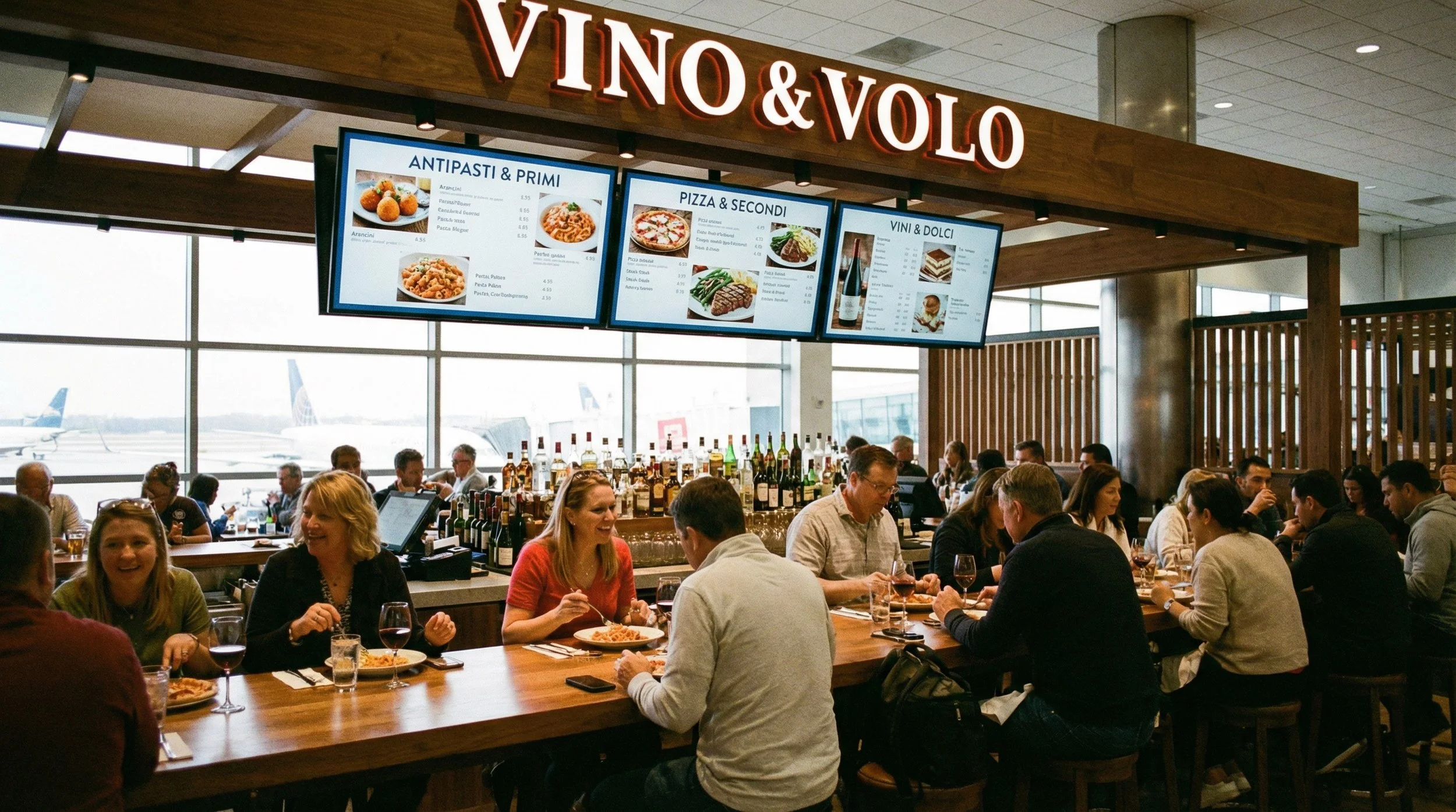
Restaurants: Showcasing digital menus that can be updated easily or scheduled to change at different times of day.
Corporate Offices: Sharing company announcements, KPIs, and welcoming visitors.
Knowing your "what" and "why" makes it easy to spot the tools that you'll actually use.
Step 2: Assess Your Hardware and Budget
Ideally, software shouldn't force you into buying expensive, proprietary hardware. Look for a flexible platform that is compatible with devices that you may already own, like a smart TV, a Windows PC, or even an Amazon Fire Stick. When it comes to cost, demand transparency. A clear per-screen monthly or annual fee is the most straightforward and scalable model, with no hidden surprises. The best providers also offer a freemium plan, allowing you to start with one screen for free to test the entire system without risk.
Step 3: Prioritize Ease of Use with a Free Trial
This is the most critical step. A platform can have every feature in the world, but if it isn’t intuitive, your team won't use it. Always sign up for a free trial or a free account to test the real-world workflow. Can you upload a graphic, add it to a playlist, and schedule it to a screen in just a few minutes? If the user interface feels clunky or confusing, it’s a deal-breaker. Your time is too valuable to waste on complicated tools. Ready to see just how easy it can be? Start your free XOGO account instantly.
Getting Started with XOGO: Digital Signage Made Easy
Throughout this guide, we've explored the what, why, and how of digital signage. We've seen that the right tools can boost sales, engage customers, and transform your space. But choosing the right digital signage software can feel overwhelming. It doesn’t have to be. XOGO was built to cut through the complexity and cost, delivering a powerful platform that’s incredibly easy to use. We believe that every business, regardless of size, deserves to have amazing digital signs. Here’s how we make it happen.
Your Command Center: XOGO Manager
Forget confusing dashboards and steep learning curves. XOGO Manager is a free, intuitive app that puts you in complete control. Accessible from any web browser, it lets you manage your content from your computer, tablet, or even your phone. Upload images and videos in seconds, create a playlist, and send it to any screen, anywhere in the world. Whether you have one screen in your lobby or a thousand across the country, the simple interface makes management a breeze.
The Player: Use Our App or Our Hardware
A player is what turns your TV into a digital sign. With XOGO, you have options that fit any budget and technical comfort level. Our flexible approach means you can:
Use Your Own Device: Download our free XOGO Player app on any major platform. Turn an Amazon Fire TV Stick, an old PC, a Chrome device, or an Android media box into a powerful digital sign in minutes.
Plug and Play: For ultimate simplicity, our XOGO Mini Max media player is ready to go right out of the box. Just plug it into your TV’s HDMI port, connect to WiFi or ethernet, and it will begin playing your content instantly. It’s digital signage made easy.
Start for Free, Scale When You're Ready
We're so confident you'll love our digital signage software that we let you use it for free. It’s not a 30-day trial; you can run one screen free forever. It’s the perfect way for a small business to get started, or for any company to test-drive the platform. As your business grows, you can upgrade to XOGO Pro in order to add more screens. We offer a simple monthly / annual pricing based upon the number of screens that you have. There are no hidden fees or long-term contracts. Just powerful signage that scales with your success. See how easy it is. Sign up for free today!
Your Digital Signage Journey Starts Now
As we look toward 2026, one thing is clear: the right technology can transform how you communicate. This guide has shown you that choosing powerful, intuitive software is the most critical step. It’s about moving beyond the limitations of a USB stick to a dynamic system that offers scheduling, remote management, and stunning 4K playback. The best digital signage software puts you in complete control of your message, effortlessly.
We built XOGO on this very principle: powerful technology should be simple. Trusted by thousands of businesses worldwide—from local cafes to global brands—we’ve proven that digital signage doesn't have to be complicated or expensive. We deliver the core features that you need to drive engagement and boost sales, without confusing extras that you’ll never use.
Ready to bring your screens to life? You can start right now, completely free of charge. Join the thousands of businesses that have discovered the easiest digital signage on the planet. Try XOGO for free and transform your screens today!
Frequently Asked Questions
Can I use any TV for digital signage?
Yes, you can. Any modern TV with an HDMI port can be transformed into a powerful digital sign. You don't need to buy expensive, specialized commercial screens. Simply connect a small media player device to your existing TV, install the player app, and you're ready to display your content. It’s an affordable way to get started with professional-looking signage using hardware you might already own. It's that easy.
Do my screens need an internet connection to work?
Your media players need an internet connection to receive new content and updates from XOGO Manager. But once the content is downloaded to your media player, it will continue to play even if the internet connection drops. This makes your signs incredibly reliable. You can manage your playlists from anywhere, and our cloud-powered system ensures that your screens keep running smoothly, online or off. This gives you both powerful control and peace of mind.
How much does digital signage software typically cost?
Costs can vary, but powerful digital signage software doesn't have to be expensive. Many providers offer simple, affordable monthly subscriptions per screen, often starting around $20-30. At XOGO, we believe everyone should have access to this tool, which is why you can run one screen complete free (forever). This lets you experience the benefits for your business without any initial investment. Just upgrade to pro in order to add more screens.
What kind of content can I display on my digital signs?
You can display almost anything that you can imagine. Show off stunning 4K videos of your products, eye-catching images of daily specials, or simple text-based announcements. You can also integrate dynamic content like social media feeds, weather forecasts, or news tickers to keep your screens fresh and engaging. From a restaurant menu to a corporate dashboard, the possibilities are endless and designed to capture your audience's attention instantly.
Is digital signage software difficult to set up and use?
Not at all. The best digital signage software is designed to be incredibly simple. We believe in a “plug it in, play it now” philosophy. The setup process takes just a few minutes: connect a media player to your TV, connect it to XOGO Manager, and start uploading your content. You don't need an IT department or any technical skills to manage your screens and create powerful playlists from anywhere.
Can I show different content on different screens at the same time?
Absolutely. This is one of the most powerful features of modern digital signage. From one central dashboard, you can send a welcome message to the screen in your lobby, a sales promotion to the screen in your retail area, and a menu to the screen in your cafe. You have complete control to target your messaging and show the right content, on the right screen, at the right time. It's simple to manage, even with hundreds of screens.