Digital Menu Boards: How to Increase Sales and Modernize Your Restaurant
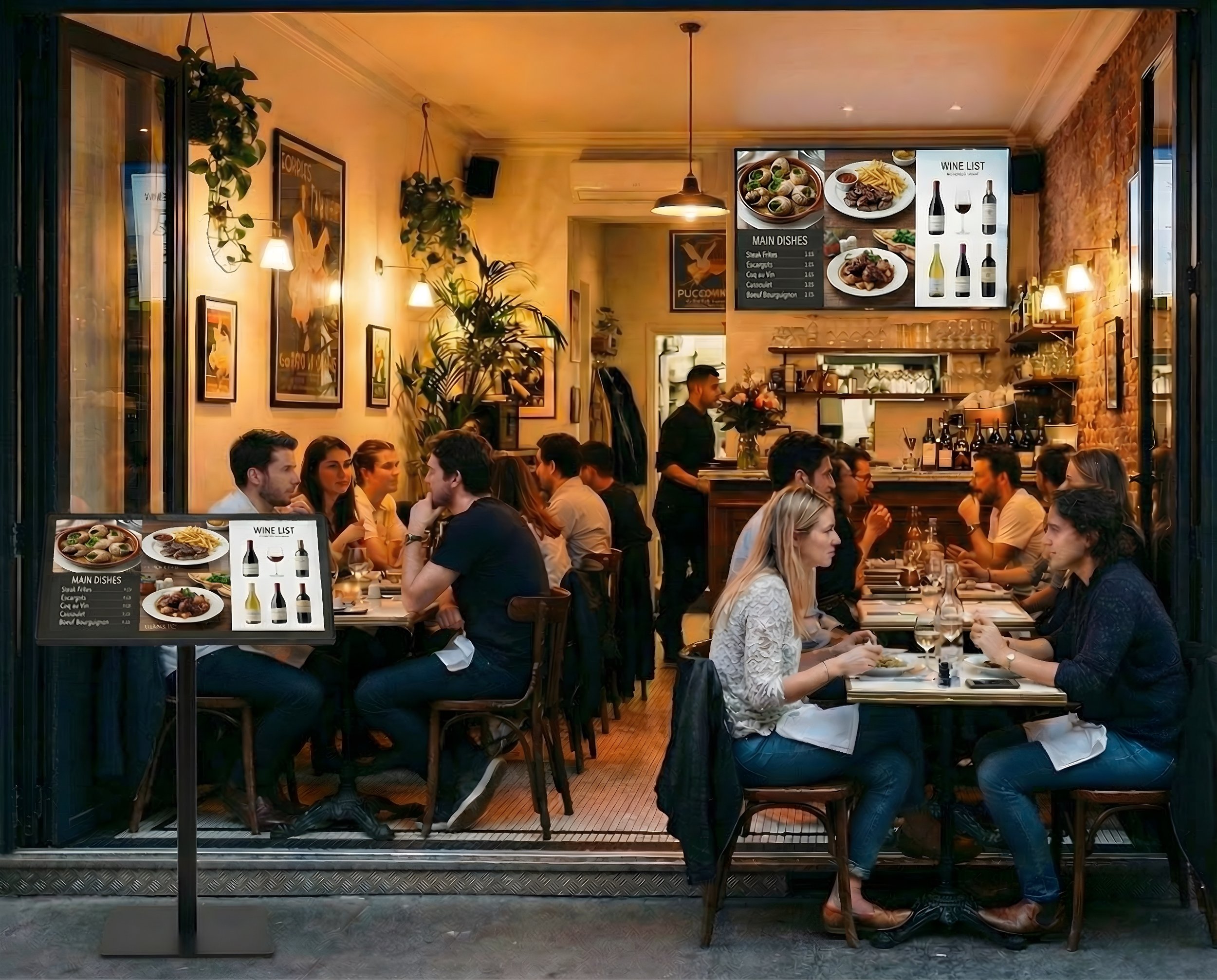
Tired of expensive printing costs and the slow, frustrating process of updating your paper menus? You want a modern, professional look for your restaurant, but the thought of complex software and high hardware costs can be overwhelming. The good news is that powerful, easy-to-use digital menu boards are no longer just for the big chains. They are a simple, affordable tool designed to help businesses just like yours thrive.
This guide is here to prove it. Forget everything you think you know about complicated digital signage. We’ll show you exactly how to make the switch, attract more customers with eye-catching displays, and boost your bottom line. You’ll learn how to promote high-margin specials instantly, save time and money by eliminating printing forever, and manage everything in minutes—no graphic designer or tech wizard required. Get ready to take control of your menu and modernize your restaurant, the easy way.
Why Your Restaurant Needs Digital Menu Boards (Hint: It’s More Than Just a Pretty Screen)
Static signs are a thing of the past. In today's fast-paced restaurant world, you need a tool that works as hard as you do. Modern digital menu boards are far more than just sleek screens; they are powerful, dynamic tools designed to boost your business from the moment a customer walks in. Forget the hassle and recurring costs of printing. Imagine updating prices, adding a daily special, or marking an item as "sold out" across all your locations with just a few clicks.
This level of control is made possible by simple but powerful digital signage technology that allows you to manage your content from anywhere. You can instantly showcase mouth-watering videos of your signature dishes or reduce perceived wait times by displaying engaging promotions. It’s about working smarter, saving money, and creating a better dining experience.
Boost Your Sales and Average Order Value
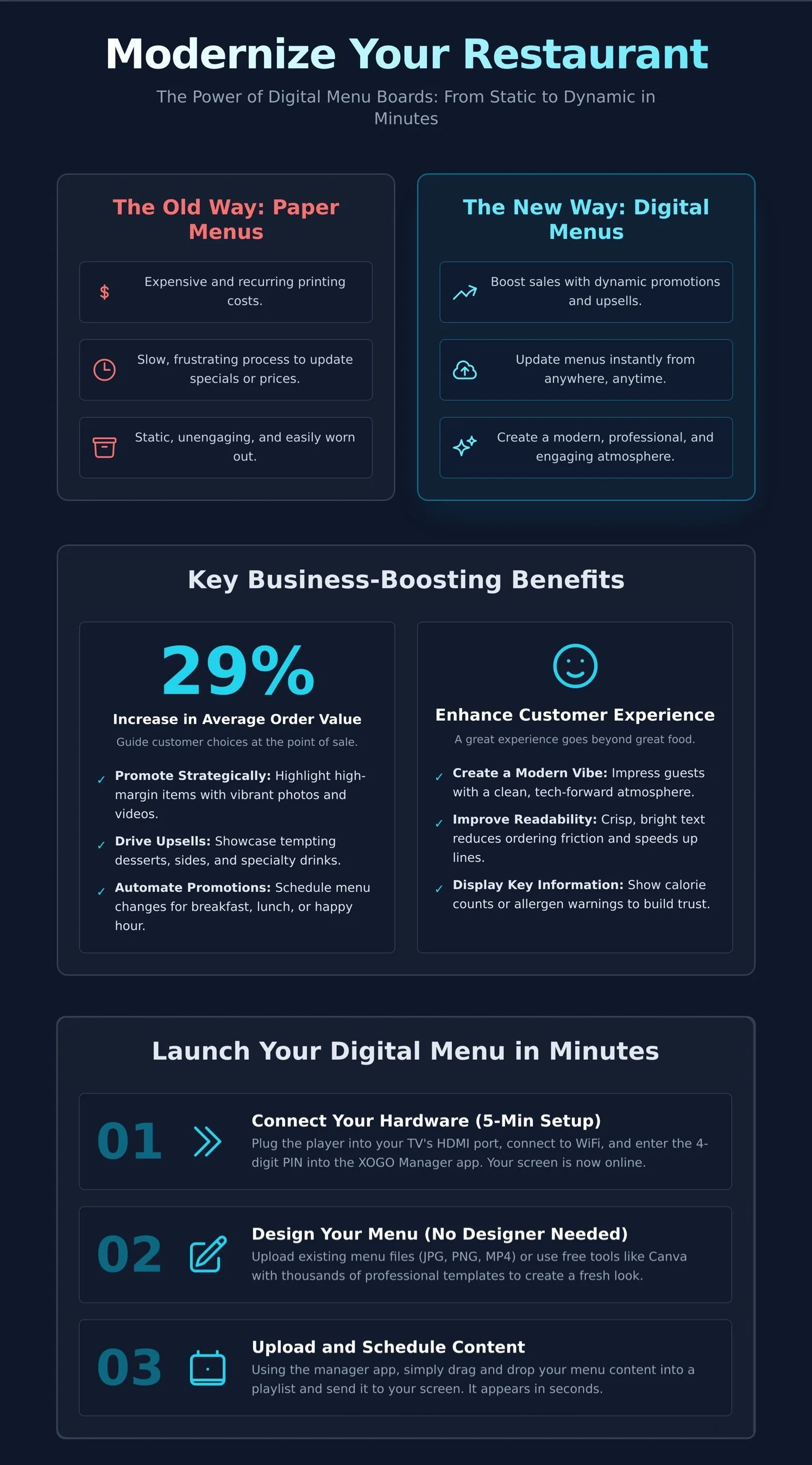
One of the most immediate impacts you’ll see is on your bottom line. Digital menus give you a direct line to your customer right at the point of sale, empowering you to guide their purchasing decisions. Use eye-catching visuals and motion to draw attention to high-margin items, combos, and upsells that might otherwise be overlooked. The results speak for themselves, with some reports showing that digital displays can increase a restaurant's average order value by up to 29%.
Promote Strategically: Highlight profitable items and special bundles with vibrant photos and videos.
Drive Upsells: Showcase tempting desserts, sides, and specialty drinks to increase ticket sizes.
Schedule Content: Schedule your menu to automatically switch to a happy hour special or lunch menu at a specific time.
Enhance the Customer Experience
A great customer experience goes beyond the food. Digital menus create a modern and professional ambiance that tells customers they’re in the right place. By presenting your offerings in a clear, easy-to-read format, you improve order accuracy and speed up the line, keeping everyone happy. It’s also the perfect platform to provide value-added information that builds trust and meets modern consumer demands.
Create a Modern Vibe: Impress guests with a clean, professional, and tech-forward atmosphere.
Improve Readability: Crisp, bright text and images make your menu easy to read, reducing ordering friction.
Display Key Information: Clearly show nutritional data, calorie counts, or allergen warnings to help customers choose with confidence. Even incorporate QR codes to link people to more information or a coupon.
The 3 Simple Components of a Digital Menu Board System
Getting started with digital menu boards doesn’t have to be complicated or expensive. Forget the technical jargon and costly proprietary hardware. A powerful, professional system is made of just three simple components that you can set up in minutes. They work together seamlessly to bring your menu to life. Let's break it down.
1. The Screen: Any TV Can Be a Menu Board
You likely already have the first piece: a screen. Almost any modern TV with an HDMI port can become a dynamic menu. You don't need a special ‘smart TV,’ because the media player provides all the intelligence. When choosing a screen, consider its size for readability, brightness to stand out in your restaurant, and whether a landscape (horizontal) or portrait (vertical) orientation fits your space best. While consumer TVs work great, commercial displays are built for the demands of a restaurant, offering greater durability for long hours of operation.
2. The Media Player: The 'Brain' Behind the Screen
The media player is a small but mighty brain behind your screen. This device connects to your TV via HDMI and plays the menu content that you send to it via the cloud. It’s a huge upgrade from a simple USB stick, allowing you to update prices or add specials instantly from anywhere, without ever touching the screen. A plug-and-play device like the XOGO Mini Max makes setup effortless. You can also use hardware that you may already own, like an Amazon Fire TV stick or an existing Windows computer.
3. The Software: Your Control Center
Finally, the software is your command center. Cloud-based software like XOGO Manager lets you control everything from any computer or tablet with an internet connection. With a simple drag-and-drop interface, you can:
Upload your menu images, videos, and URLs.
Organize content into playlists.
Schedule different menus for breakfast, lunch, dinner or happy hour.
This level of control is how you can effectively boost sales with digital menus by instantly updating promotions and featured items. It's powerful, intuitive, and designed for busy restaurant owners.
How to Create and Launch Your Digital Menu in Minutes
Forget complicated tech and expensive setup fees. Modern digital signage is designed for busy restaurant owners, not IT experts. You can transform your static menu into a dynamic digital display in less time than it takes to prep your daily specials. This simple, three-step process puts all the power directly in your hands.
Step 1: Connect Your Hardware (The 5-Minute Setup)
Getting your screen online is astonishingly simple. There are no complex configurations or technical hurdles. It’s a true plug-and-play experience designed to get you up and running instantly. Just follow these quick steps:
Plug the XOGO Mini Max media player into your TV’s HDMI port and a power outlet.
Connect the player to your restaurant's WiFi or ethernet network.
Note the PIN code that appears on the screen.
Enter that PIN code into XOGO Manager app on your phone, tablet or PC.
That’s it. Your screen is now connected to the cloud and ready to display your menu.
Step 2: Design Your Menu (No Designer Needed)
You don't need to hire a professional designer to create a beautiful, mouth-watering menu. You already have the tools you need. If you have existing menu files as images (JPG, PNG) or even videos (MOV, MP4), you can upload them directly. For a fresh look, user-friendly platforms like Canva and PosterMyWall offer thousands of professional menu templates in both 16:9 and 9:16 formats that you can customize in minutes. Even simple presentation software can be used to create clean, effective menu slides.
Step 3: Upload and Schedule Your Content
This is where your digital menu boards come to life. Simply drag your completed menu files into your content library within the XOGO Manager app. From there, you can organize them into playlists. For example, create a 'Breakfast Menu' playlist to run from 7-11 AM and a 'Lunch Specials' playlist to take over automatically after that. Assign a playlist to your screen and watch your menu appear instantly. Need to 86 an item or feature a new drink special? Make the change on your phone and it's live on-screen in seconds. This level of control makes managing your menu effortless and immediate. Ready to see just how easy it is? Get started for free.
Best Practices for a High-Impact Digital Menu
You’ve made the smart move to invest in digital signage. Now, it’s time to unlock its full potential. A great digital menu isn't just a list of items and prices; it's a powerful sales tool that guides customer decisions and enhances their experience. Moving beyond the basics is simple when you focus on smart design and strategy. These proven practices will help you transform your screens from simple displays into revenue-generating assets.
Design for Maximum Readability
If customers can't read your menu, they can't order from it. Clarity is king. Your goal is to make the ordering process fast, simple, and frictionless. Keep these core principles in mind for your digital menu boards:
Use large, clear fonts. Your menu should be easily readable from the back of the ordering line.
Create high contrast. Place light-colored text on a dark background, or vice versa, to make your words pop.
Embrace white space. A cluttered screen is confusing. Give your menu items room to breathe to guide the customer’s eye.
Organize logically. Group items into clear sections like Appetizers, Entrees, and Drinks to simplify navigation.
Leverage Dayparting to Boost Sales
Dayparting is the simple but powerful practice of scheduling different content to play at different times of the day. This is where digital menus truly outshine static ones. You can automatically switch from a breakfast menu full of coffee and pastries to a lunch menu featuring sandwiches and salads. Promote an afternoon slump-buster coffee special at 2 PM or showcase your happy hour deals right at 5 PM. It’s an effortless way to display the most relevant offers and drive sales when they matter most.
Use Motion and Video Strategically
Motion catches the eye, but it should always have a purpose. Use subtle animations, like a gentle shimmer or pulse, to draw attention to high-profit items or daily specials. A short, high-quality video of steam rising from a fresh pizza or a cocktail being poured can instantly whet appetites. The key is moderation. Avoid constant, distracting animations that overwhelm customers and slow down the ordering process. Keep videos short, focused, and delicious.
Transform Your Restaurant with Digital Menus
Making the switch to digital is one of the most powerful moves you can make for your business. It's not just about a modern look; it's about creating dynamic, engaging menus that directly boost sales and improve the customer experience. The best part? The technology is no longer complicated or expensive. With the right tools, you can launch stunning and effective digital menu boards in a matter of minutes.
XOGO makes it incredibly simple. Trusted by thousands of businesses worldwide, we deliver on our promise to be the easiest digital signage on the planet. There are no complex extras—just a powerful, straightforward system that gets you started instantly. It’s truly as easy as: Plug it in. Play it now.
You have the power to modernize your restaurant and watch your sales grow. Ready to see the difference for yourself? Sign up for a free XOGO account today.
Frequently Asked Questions
How much do digital menu boards cost?
The cost is much lower than you might think. Unlike complex traditional systems, modern solutions are designed to be affordable for any business. You typically need a small media player for each screen and a simple software subscription. Our pricing is straightforward, allowing you to start with one screen for free and scale up affordably as your restaurant grows. It’s a powerful upgrade that fits within your budget.
Can I really use any TV for a digital menu board?
Absolutely. Any modern television with an HDMI port can be transformed into a professional digital menu. You don't need to invest in expensive, specialized commercial screens. Simply plug a digital signage media player into your TV's HDMI port, connect it to your WiFi network, and you're ready to display your menu. It’s the easiest way to get started with digital signage in just a few minutes.
How do I update my menu if I'm not at the restaurant?
Our system is cloud-powered, giving you complete control from anywhere on the planet. Just log into the management app on your phone, tablet, or laptop to make changes. You can instantly update prices, add a daily special, or schedule a new promotion to run at a specific time. Your changes will appear on the screens in your restaurant in seconds, giving you the flexibility to manage your menus from any location.
Do digital menu boards work if the internet goes down?
Yes, they do. A reliable digital signage player downloads your menu content and stores it directly on the device itself. This means that if your restaurant’s internet connection is ever interrupted, your menus will continue to play without a problem. Your customers will never see a blank screen. An internet connection is only needed when you want to send new updates or schedule changes to your screens.
Can I show videos and animations on my menu boards?
Definitely! This is one of the biggest benefits of going digital. You can play stunning 4K videos of your signature dishes, add eye-catching animations to highlight specials, or run a slideshow of mouth-watering photos. Dynamic content is proven to grab customer attention and increase sales. Our platform makes it simple to upload and schedule any video, image, or animated graphic you want to show your customers.
Is it difficult to create the menu content myself?
Not at all. Creating beautiful content for your digital menu boards is easier than ever. You can use free and simple online design tools like Canva and PosterMyWall, which offer thousands of professional templates to get you started. If you can make a simple graphic or a slideshow, you have all the skills you need. Just save your menu as a standard image or video file and upload it to XOGO Manager. It’s that simple.